Connecting social accounts
How to connect Facebook Pages, Instagram Business, LinkedIn, LinkedIn Pages, X (Twitter), and Google Business Profile to Nowzer for publishing.
Supported platforms
| Platform | Account type | What you can publish |
|---|---|---|
| Facebook Pages | Pages you manage | Posts with text, images, and links to your Facebook business pages |
| Instagram Business | Business accounts linked to a Facebook Page | Posts with images and captions to your Instagram business profile |
| Personal profile | Posts to your personal LinkedIn feed | |
| LinkedIn Pages | Organization pages you admin | Posts as your LinkedIn company or organization page |
| X (Twitter) | Personal account | Tweets with text and images |
| Google Business Profile | Verified GBP locations | Updates to your Google Business listing |
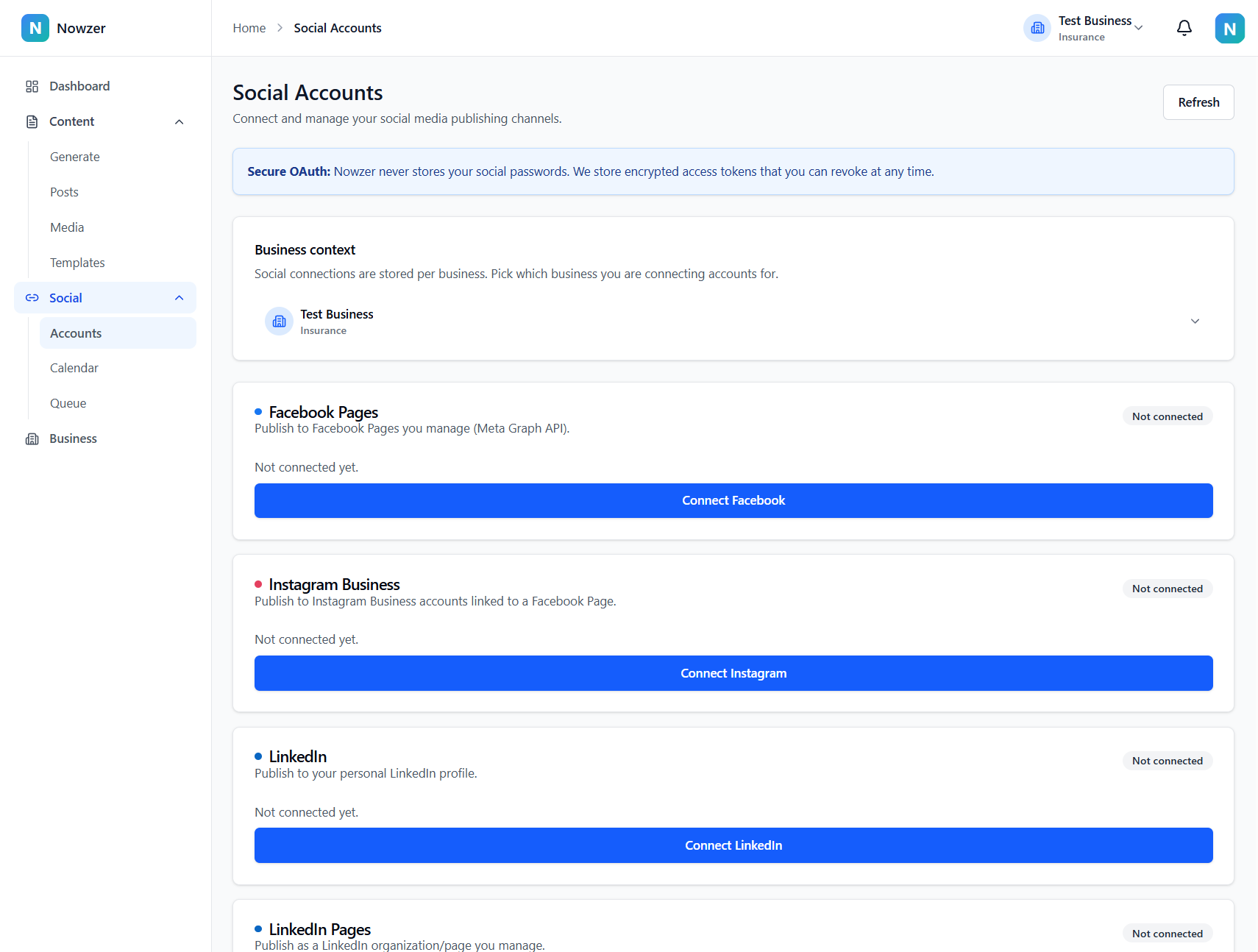
Connecting a platform
Go to Social Accounts
Navigate to Social → Accounts in the sidebar. You will see a card for each supported platform.
Click Connect
Find the platform you want and click the Connect button. You will be redirected to that platform's authorization page.
Authorize Nowzer
Sign in to the platform if prompted, and grant Nowzer the permissions it requests. Nowzer requests only the permissions needed for publishing - it never stores your social media passwords.
Confirm your destinations
After authorization, you are redirected back to Nowzer. Your connected account appears with its available destinations (pages, profiles, or locations). Each destination has an Enable toggle - enable the ones you want to publish to.
Nowzer uses OAuth (the industry standard) to connect to social platforms. Your social media passwords are never shared with or stored by Nowzer. You can revoke access at any time from the platform's settings.
Platform-specific notes
Facebook and Instagram
Facebook and Instagram connections are linked. Connecting Facebook gives Nowzer access to the Pages you manage. Instagram Business accounts must be linked to a Facebook Page - you connect them through the same Facebook authorization. After connecting, use Sync Pages to refresh the list of available pages and Instagram accounts.
LinkedIn and LinkedIn Pages
LinkedIn personal profiles and LinkedIn organization pages are connected separately. For LinkedIn Pages, you must be an admin of the organization. After connecting, use Sync Destinations to see all available pages.
X (Twitter)
X uses OAuth for connection. After authorizing, your profile is available as a publishing destination.
Google Business Profile
Connect your Google account and Nowzer will discover your verified Google Business Profile locations. Use Sync Destinations to refresh the list of available locations.